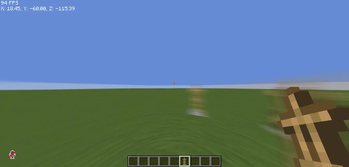
Spirity Motion Blur — Minecraft shader pack
by ItsAnshuXD
Ultra lightweight motion blur shader with zero FPS drop. Smooth visuals without performance loss. Made by ItsAnshuXD, it leans semi-realistic / vanilla-like and ships atmosphere. Expect it to run comfortably from potato-tier hardware upward, on Minecraft 1.21 – 26.1.2 via Iris or OptiFine. Licensed MIT, so the download is mirrored right here on MineSpecs — no ads, no redirects.
This file: Minecraft 1.21 – 26.1.2 · Iris · OptiFine
Licence: MITOriginal projectVersion 1.0.1
SHA-1 49bf57f6a099dfcbad3230f5e18433b95970112c
Identical to the release on Modrinth.
How to install Spirity Motion Blur
- 1Install a shader loader for Minecraft 1.21 – 26.1.2 — Iris (pairs with Sodium) or OptiFine. Spirity Motion Blur is a shaderpack, so it needs a loader to run.
- 2Download the Spirity Motion Blur
.zipfrom the button above — keep it zipped. It is mirrored on MineSpecs, so there is no ad-gate or redirect. - 3Drop the .zip into your
.minecraft/shaderpacksfolder (%appdata%\.minecraft\shaderpackson Windows,~/Library/Application Support/minecraft/shaderpackson macOS). - 4Launch the game, open Options → Video Settings → Shaders, and select Spirity Motion Blur.
First time? How to install Minecraft shaders
Performance & what to expect
Spirity Motion Blur is rated potato performance impact. It is the lightest tier in the catalogue — it runs on integrated graphics and older laptops. It renders atmosphere. The look is semi realistic and vanilla like.
More semi realistic shaders
 Emissive Cape Portalsby Bluebird
 VerdantLight LiteLow impact · by Player9753193
 B3-PvPPotato impact · by Lalaggi
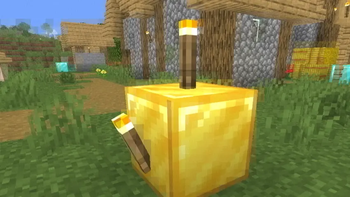 Bad WiFiPotato impact · by xsoras
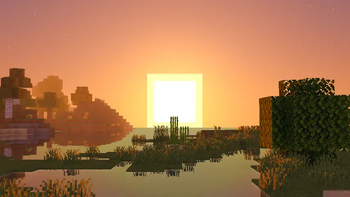 HighFrames+Potato impact · by GamesofDev
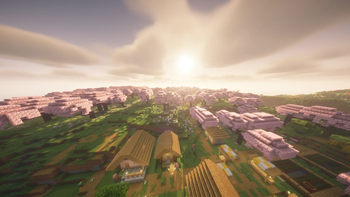 EchoShiftLow impact · by KJS0
Spirity Motion Blur is created by ItsAnshuXD and mirrored here under its MIT licence. MineSpecs is an unofficial fan project and is not affiliated with ItsAnshuXD, Mojang Studios or Microsoft.