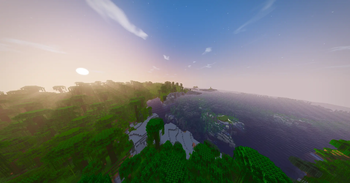
Sylbobek's Shader Pack — for Minecraft Java
by sylwesterkrol
Realistic, FPS-friendly shaders - soft shadows, procedural sky, waving plants, glowing lights and cinematic colors. Sylbobek's Shader Pack is a realistic / semi-realistic pack from sylwesterkrol, bringing atmosphere, bloom, reflections and shadows to your world. It targets medium-tier hardware and up and runs through Iris or OptiFine on Minecraft 1.21 – 26.2. Licensed MIT, so the download is mirrored right here on MineSpecs — no ads, no redirects.
This file: Minecraft 1.21 – 26.2 · Iris · OptiFine
Licence: MITOriginal projectVersion 2.0
SHA-1 9ad85bc6c1a70ca41528e921528268f7ba2bdf23
Identical to the release on Modrinth.
How to install Sylbobek's Shader Pack
- 1Install a shader loader for Minecraft 1.21 – 26.2 — Iris (pairs with Sodium) or OptiFine. Sylbobek's Shader Pack is a shaderpack, so it needs a loader to run.
- 2Download the Sylbobek's Shader Pack
.zipfrom the button above — keep it zipped. It is mirrored on MineSpecs, so there is no ad-gate or redirect. - 3Drop the .zip into your
.minecraft/shaderpacksfolder (%appdata%\.minecraft\shaderpackson Windows,~/Library/Application Support/minecraft/shaderpackson macOS). - 4Launch the game, open Options → Video Settings → Shaders, and select Sylbobek's Shader Pack.
First time? How to install Minecraft shaders
Performance & what to expect
Sylbobek's Shader Pack is rated medium performance impact. It wants a mid-range dedicated GPU. Drop render distance a few chunks if you fall below 60 FPS. It renders atmosphere, bloom, reflections and shadows. The look is realistic and semi realistic.
More realistic shaders
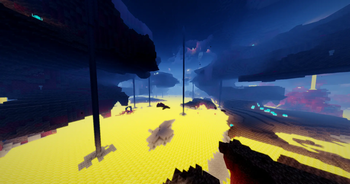 HelioxHigh impact · by minenoturs2011
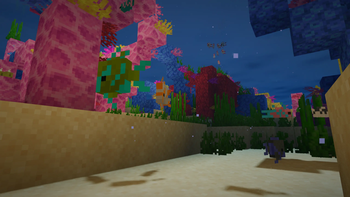 Solar ReimaginedPotato impact · by thorthor1130
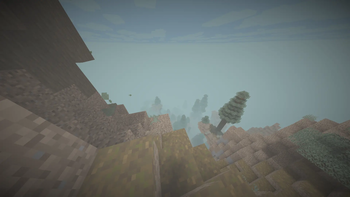 EnS-hAderPotato impact · by mertyydree
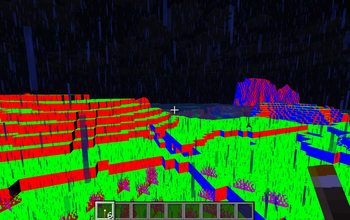 DREDGIVIBELow impact · by jacob.kalbhenn
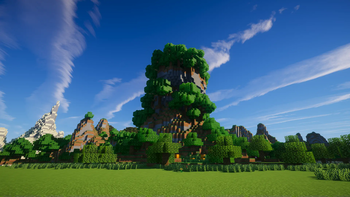 Ebin ResurrectedLow impact · by jbritain
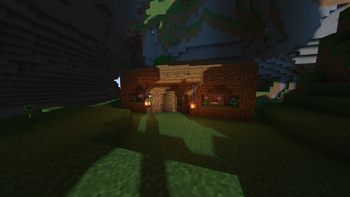 SillyWankerShaderPotato impact · by bombacat
Sylbobek's Shader Pack is created by sylwesterkrol and mirrored here under its MIT licence. MineSpecs is an unofficial fan project and is not affiliated with sylwesterkrol, Mojang Studios or Microsoft.