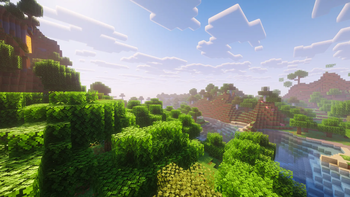
Vivid Horizon — Minecraft shader pack
by Tav6442
A Beautiful And Optimized Shader Pack For High, low and mid PCs And Computers. Vivid Horizon is a vanilla-like pack from Tav6442. It targets high-tier hardware and up and runs through Iris or OptiFine on Minecraft 1.21 – 26.2. The pack itself ships the Complementary License Agreement, which does not allow re-uploads, so the button above goes to the author’s official Modrinth page.
How to install Vivid Horizon
- 1Install a shader loader for Minecraft 1.21 – 26.2 — Iris (pairs with Sodium) or OptiFine. Vivid Horizon is a shaderpack, so it needs a loader to run.
- 2Download the Vivid Horizon
.zipfrom the button above — keep it zipped. Its licence doesn’t permit re-hosting, so that button takes you to the official modrinth.com page — always the newest build, straight from the author. - 3Drop the .zip into your
.minecraft/shaderpacksfolder (%appdata%\.minecraft\shaderpackson Windows,~/Library/Application Support/minecraft/shaderpackson macOS). - 4Launch the game, open Options → Video Settings → Shaders, and select Vivid Horizon.
First time? How to install Minecraft shaders
Performance & what to expect
Vivid Horizon is rated high performance impact. It is demanding — treat it as a showcase pack rather than a survival daily-driver, and expect to tune render distance. The look is fantasy and vanilla like.
More fantasy shaders
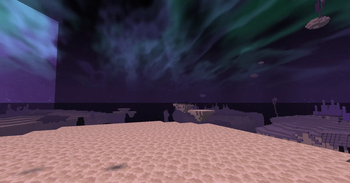 Expanse ShadersMedium impact · by EndExpanser
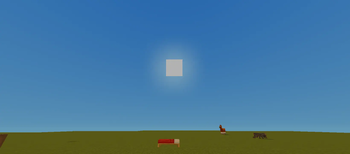 ThaiGlowLite ShaderLow impact · by NonKungCh
 Simply Solid ShadersLow impact · by tyrn11
 ThaiGlow ShaderMedium impact · by NonKungCh
 BalancedLite Shadere.zipPotato impact · by BORACORE
 RenderKit UtilitiesPotato impact · by Hohigamer
Vivid Horizon is created by Tav6442 and published under its own Custom — no re-hosting terms. We link to the author’s official download rather than mirroring it — the pack is theirs, and its licence asks that it stay that way. MineSpecs is an unofficial fan project and is not affiliated with Tav6442, Mojang Studios or Microsoft.