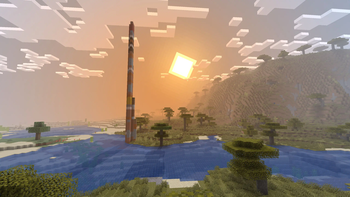
Voxel Vibes — Minecraft shader pack
by JavaJumper
[Alpha] Simple shader with focus on keeping vanilla look. Made by JavaJumper, it leans cartoon / vanilla-like and ships atmosphere and shadows. It runs on Minecraft 1.16 – 1.21.5 via Iris or OptiFine. Licensed GPL-3.0-only, so the download is mirrored right here on MineSpecs — no ads, no redirects.
This file: Minecraft 1.16.2 – 1.21.5 · Iris · OptiFine
Licence: GPL-3.0-onlyOriginal projectSource codeVersion 2
SHA-1 d0e885be5bebde9e04483371d91834b7cd11b803
Identical to the release on Modrinth.
How to install Voxel Vibes
- 1Install a shader loader for Minecraft 1.16.2 – 1.21.5 — Iris (pairs with Sodium) or OptiFine. Voxel Vibes is a shaderpack, so it needs a loader to run.
- 2Download the Voxel Vibes
.zipfrom the button above — keep it zipped. It is mirrored on MineSpecs, so there is no ad-gate or redirect. - 3Drop the .zip into your
.minecraft/shaderpacksfolder (%appdata%\.minecraft\shaderpackson Windows,~/Library/Application Support/minecraft/shaderpackson macOS). - 4Launch the game, open Options → Video Settings → Shaders, and select Voxel Vibes.
First time? How to install Minecraft shaders
Performance & what to expect
JavaJumper gives Voxel Vibes no performance rating, so check your frame rate at your usual render distance. It renders atmosphere and shadows. The look is cartoon and vanilla like.
More cartoon shaders
 Open4ES Renewedby CilokGaming
 Flashlight ShaderPotato impact · by Silvager
 DreamLight ShadersMedium impact · by HoneyStudios
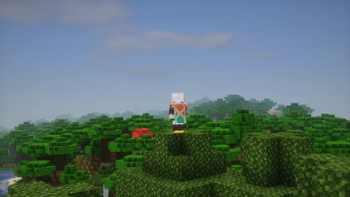 Tricked ShadersLow impact · by tricked33
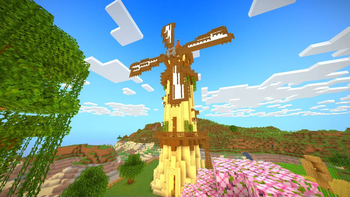 EclipseLiteLow impact · by GamesofDev
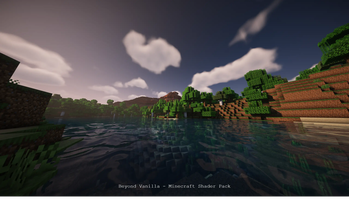 Beyond VanillaMedium impact · by hotsuop
Voxel Vibes is created by JavaJumper and mirrored here under its GPL-3.0-only licence. MineSpecs is an unofficial fan project and is not affiliated with JavaJumper, Mojang Studios or Microsoft.