Distant Horizons遥远的地平线汉化 — 16x Minecraft resource pack
by HuaHua_QuQ
(持续更新)个人精翻汉化,完整覆盖 DH 配置与界面文案。超远视距模组,顶级优化,极小性能开销。. Made by HuaHua_QuQ, it retextures gui and utility at 16x and works on Minecraft 1.12 – 26.1.2. It's licensed CC-BY-SA-4.0, so the download is mirrored here on MineSpecs — drop the zip straight into your resourcepacks folder.
This file: Minecraft 1.12 – 26.1.2
Licence: CC-BY-SA-4.0Original projectVersion 3.0.3b-2
SHA-1 a2f3335e2147cf0b5d713ee98a7aaecf42e53db9
Identical to the release on Modrinth.
How to install Distant Horizons遥远的地平线汉化
- 1Download the Distant Horizons遥远的地平线汉化
.zipfrom the button above — keep it zipped. It is hosted on MineSpecs, so there is no ad-gate or redirect. - 2Launch Minecraft 1.12 – 26.1.2 and open Options → Resource Packs → Open Pack Folder.
- 3Drop the .zip into that
resourcepacksfolder (%appdata%\.minecraft\resourcepackson Windows). - 4Back in-game, move Distant Horizons遥远的地平线汉化 to the right-hand column to activate it and click Done. No restart needed — textures swap immediately.
First time? How to install Minecraft resource packs
Resolution & compatibility
At 16x it matches vanilla's native resolution, so it costs essentially no extra VRAM and runs anywhere Minecraft runs. Distant Horizons遥远的地平线汉化 retextures gui, utility, and works alongside other packs — Minecraft applies them top-down, so put Distant Horizons遥远的地平线汉化 above any pack you want it to override. It also stacks cleanly with shader packs, since resource packs change textures while shaders change lighting.
More 16x resource packs
 Trailers Vision16x · by DiamondIsntHere
 Smaller Totem16x · by SILENT
 Low Fire One Pixel16x · by cutebow
 Piglin-Chan16x · by HexeChroma
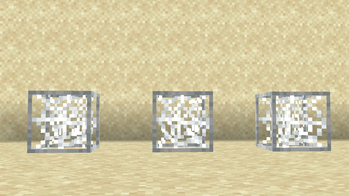 Cobweb Outline16x · by GAMER_TIGE99
 Truly Small Items16x · by ChedRed
Distant Horizons遥远的地平线汉化 is created by HuaHua_QuQ and mirrored here under its CC-BY-SA-4.0 licence. MineSpecs is an unofficial fan project and is not affiliated with HuaHua_QuQ, Mojang Studios or Microsoft.