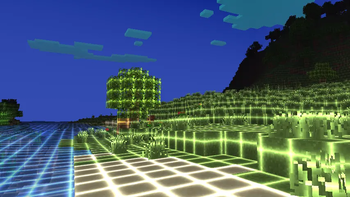
Disco Shaders — for Minecraft Java
by GamesofDev
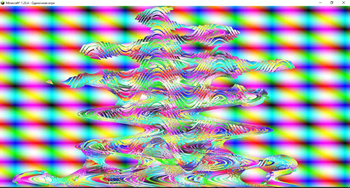
A vibrant, neon-inspired shader that transforms Minecraft into a glowing digital world. It features strong emissive lighting, grid-like highlights, and a futuristic vaporwave aesthetic that makes terrain and vegetation shine with energy. Made by GamesofDev, it leans cursed. Expect it to run comfortably from potato-tier hardware upward, on Minecraft 1.20 – 26.1.2 via Iris or OptiFine. Licensed CC-BY-4.0, so the download is mirrored right here on MineSpecs — no ads, no redirects.
This file: Minecraft 1.20 – 26.1.2 · Iris · OptiFine
Licence: CC-BY-4.0Original projectVersion 1
SHA-1 14dbebc0962b45018c4eb4b28ed13ceefd9f98b7
Identical to the release on Modrinth.
How to install Disco Shaders
- 1Install a shader loader for Minecraft 1.20 – 26.1.2 — Iris (pairs with Sodium) or OptiFine. Disco Shaders is a shaderpack, so it needs a loader to run.
- 2Download the Disco Shaders
.zipfrom the button above — keep it zipped. It is mirrored on MineSpecs, so there is no ad-gate or redirect. - 3Drop the .zip into your
.minecraft/shaderpacksfolder (%appdata%\.minecraft\shaderpackson Windows,~/Library/Application Support/minecraft/shaderpackson macOS). - 4Launch the game, open Options → Video Settings → Shaders, and select Disco Shaders.
First time? How to install Minecraft shaders
Performance & what to expect
Disco Shaders is rated potato performance impact. It is the lightest tier in the catalogue — it runs on integrated graphics and older laptops. The look is cursed.
More cursed shaders
 Cosinus ShaderPotato impact · by KD2D
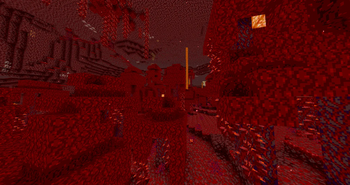 PosterizationShaderMedium impact · by sasiaanders
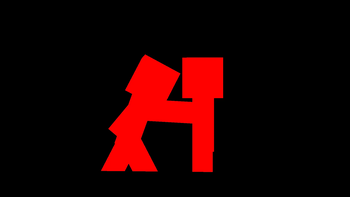 Red And Black ShadersLow impact · by ThatGuyTuk
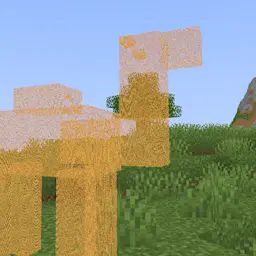 Hologram ShaderPotato impact · by Niblan
 Psiho shaderHigh impact · by Beginnercodinggamer228
 Blind ShaderPotato impact · by Niblan
Disco Shaders is created by GamesofDev and mirrored here under its CC-BY-4.0 licence. MineSpecs is an unofficial fan project and is not affiliated with GamesofDev, Mojang Studios or Microsoft.