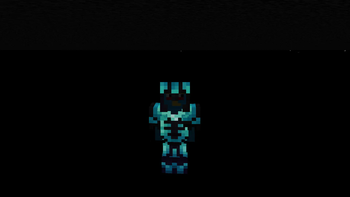
Emissive Trims — Minecraft shader pack
by Bluebird
Emissive Trims is a lightweight core-shader tweak that adds a soft glow to armour trims, giving your gear a subtle enchanted shimmer. Barely any performance impact.
This file: Minecraft 26.1 – 26.2 · resource pack (core shaders)
Licence: CC-BY-4.0Original projectVersion 1.5
SHA-1 a3a42a3f8621deb8e5e2bdc30a51bed3c6fd71e4
Identical to the release on Modrinth.
How to install Emissive Trims
- 1No shader loader needed — Emissive Trims uses Minecraft’s own core shaders, so it installs like a resource pack on Minecraft 26.1 – 26.2.
- 2Download the Emissive Trims
.zipfrom the button above — keep it zipped. It is mirrored on MineSpecs, so there is no ad-gate or redirect. - 3Drop the .zip into your
.minecraft/resourcepacksfolder (%appdata%\.minecraft\resourcepackson Windows,~/Library/Application Support/minecraft/resourcepackson macOS). - 4Launch the game, open Options → Resource Packs, move Emissive Trims to the right-hand column and click Done.
First time? How to install Minecraft resource packs
Performance & what to expect
Bluebird gives Emissive Trims no performance rating, so check your frame rate at your usual render distance. It renders colored lighting. The look is vanilla like.
More vanilla like shaders
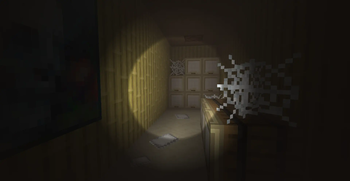 Flashlight ShaderPotato impact · by GN
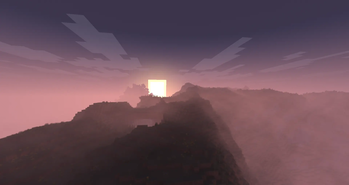 Phoxel PTHigh impact · by Despatra
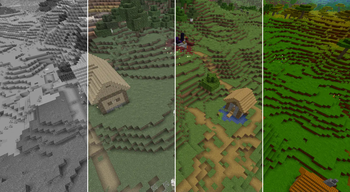 Simple Saturation ShaderPotato impact · by MrBrose
 CH MotionPotato impact · by thompiejompie
 BVSFPotato impact · by LoLip_p
 TAA ProjectPotato impact · by 1xayd1
Emissive Trims is created by Bluebird and mirrored here under its CC-BY-4.0 licence. MineSpecs is an unofficial fan project and is not affiliated with Bluebird, Mojang Studios or Microsoft.