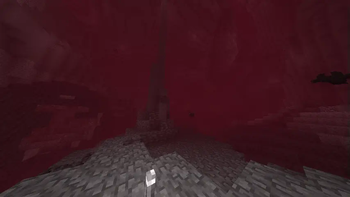
Bloody Shaders — for Minecraft Java
by trece313
"Basically, a Minecraft shader to create a darker, bloodier atmosphere this October 31st for Halloween. Enjoy it, and have a Happy Halloween. Made by trece313, it leans vanilla-like and ships atmosphere, colored lighting and reflections. Expect it to run comfortably from medium-tier hardware upward, on Minecraft 1.16 – 1.21.1 via Iris or OptiFine. Licensed MIT, so the download is mirrored right here on MineSpecs — no ads, no redirects.
This file: Minecraft 1.16 – 1.21.1 · Iris · OptiFine
Licence: MITOriginal projectSource codeVersion 1.3
SHA-1 5381e0d3a22caf6dbb04b637aed675c742659546
Identical to the release on Modrinth.
How to install Bloody Shaders
- 1Install a shader loader for Minecraft 1.16 – 1.21.1 — Iris (pairs with Sodium) or OptiFine. Bloody Shaders is a shaderpack, so it needs a loader to run.
- 2Download the Bloody Shaders
.zipfrom the button above — keep it zipped. It is mirrored on MineSpecs, so there is no ad-gate or redirect. - 3Drop the .zip into your
.minecraft/shaderpacksfolder (%appdata%\.minecraft\shaderpackson Windows,~/Library/Application Support/minecraft/shaderpackson macOS). - 4Launch the game, open Options → Video Settings → Shaders, and select Bloody Shaders.
First time? How to install Minecraft shaders
Performance & what to expect
Bloody Shaders is rated medium performance impact. It wants a mid-range dedicated GPU. Drop render distance a few chunks if you fall below 60 FPS. It renders atmosphere, colored lighting and reflections. The look is cursed and fantasy.
More cursed shaders
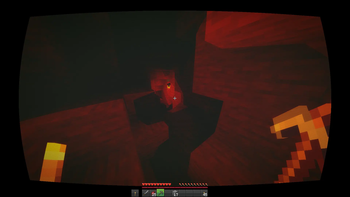 Nostalgia Ultra ShaderLow impact · by maxlananass
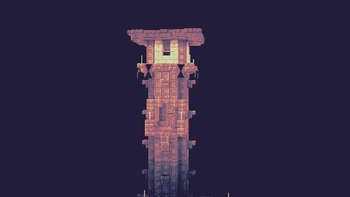 PhialPotato impact · by Snorfield
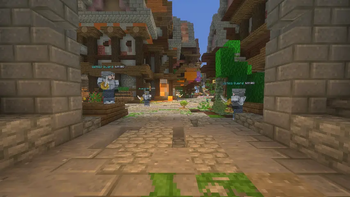 Wispy ShaderPotato impact · by l_aggy
 SteadfastLow impact · by coderbot
 Chippa256 shaderMedium impact · by mewshaders
 Mathematically Unplayableby ultraepicultramods
Bloody Shaders is created by trece313 and mirrored here under its MIT licence. MineSpecs is an unofficial fan project and is not affiliated with trece313, Mojang Studios or Microsoft.