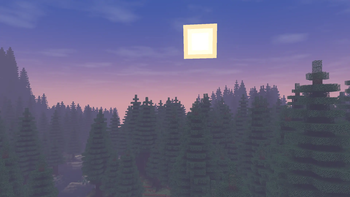
Wisp Shaders — for Minecraft Java
by n643064
Simple shaders that focus on looking good while remaining within the style of vanilla Minecraft instead of fancy realistic rendering techniques. Made by n643064, it leans fantasy and vanilla like and ships atmosphere. Expect it to run comfortably from medium-tier hardware upward, on Minecraft 1.20 – 26.1.2 via Iris. Licensed GPL-3.0-only, so the download is mirrored right here on MineSpecs — no ads, no redirects.
This file: Minecraft 1.20 – 26.1.2 · Iris
Licence: GPL-3.0-onlyOriginal projectSource codeVersion 1.0.2
SHA-1 5e1cf8865136cb4b51f7ac8d828303e526ae7d78
Identical to the release on Modrinth.
How to install Wisp Shaders
- 1Install a shader loader for Minecraft 1.20 – 26.1.2 — Iris (pairs with Sodium) (its author supports Iris only). Wisp Shaders is a shaderpack, so it needs a loader to run.
- 2Download the Wisp Shaders
.zipfrom the button above — keep it zipped. It is mirrored on MineSpecs, so there is no ad-gate or redirect. - 3Drop the .zip into your
.minecraft/shaderpacksfolder (%appdata%\.minecraft\shaderpackson Windows,~/Library/Application Support/minecraft/shaderpackson macOS). - 4Launch the game, open Options → Video Settings → Shaders, and select Wisp Shaders.
First time? How to install Minecraft shaders
Performance & what to expect
Wisp Shaders is rated medium performance impact. It wants a mid-range dedicated GPU. Drop render distance a few chunks if you fall below 60 FPS. It renders atmosphere. The look is fantasy and vanilla like.
More fantasy shaders
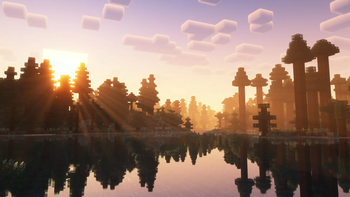 Complementary Shaders — ReimaginedMedium impact · by EminGT
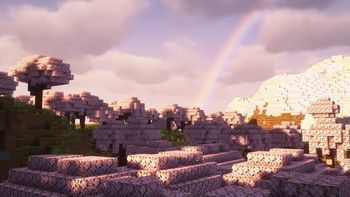 Complementary Shaders — UnboundMedium impact · by EminGT
 Solas ShaderMedium impact · by Septonious
 Bliss ShadersMedium impact · by Xonk
 Rethinking VoxelsHigh impact · by gri573
 Super Duper VanillaLow impact · by Eldeston
Wisp Shaders is created by n643064 and mirrored here under its GPL-3.0-only licence. MineSpecs is an unofficial fan project and is not affiliated with n643064, Mojang Studios or Microsoft.